

Create a reservation
The reservation is where everything else starts: it blocks the vehicle, it feeds the contract and it carries the payments.
The LocaFlotte team
Before you start
- The vehicle exists in your fleet and its status is neither sold nor immobilised.
- The customer exists, or you will create them along the way.
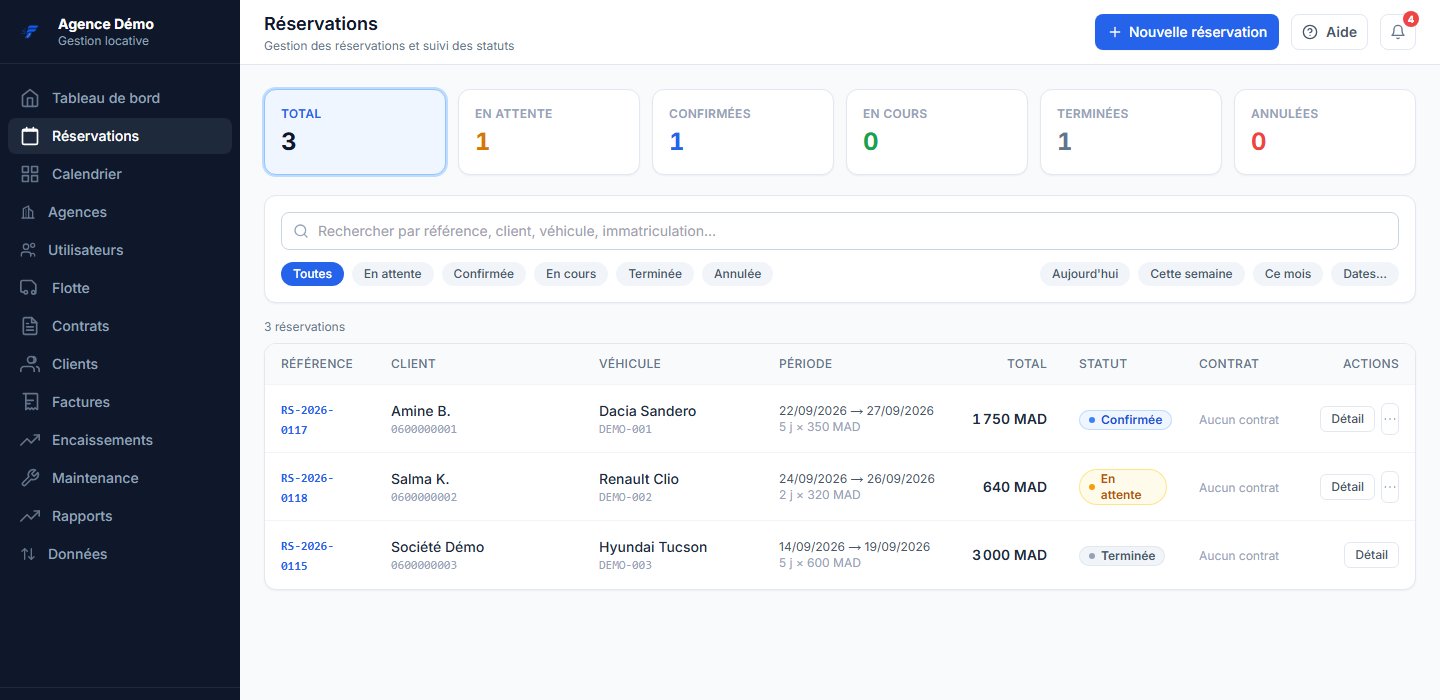
Step 1Open the reservation list
In the left menu, click Reservations, then the new reservation button at the top right.
Step 2Choose the customer
Search by name or phone number. If they do not exist yet, create their record: the name is the only required field, but the phone number will save you a long search next time.
Step 3Choose the vehicle and the period
Enter the pick-up date and time, then the return ones. Duration and amount are computed from the vehicle's daily rate; you can adjust the rate if your agreement with the customer differs.
Step 4Set the pick-up and return branches
They can differ: that is the case of a pick-up at the airport and a return in town. This is what makes the right counter expect the vehicle.
Step 5Save
The reservation appears immediately in the shared schedule, visible to the whole team attached to the branch.
What you get
The vehicle is blocked for the chosen period, the reservation carries its reference number, and the contract can be generated from it without re-entering anything.
If it does not go as planned
- The vehicle does not appear in the list
- Check its status on its record: a vehicle that is sold, immobilised or under maintenance is not offered. Check the chosen pick-up branch too.
- Saving is refused because of an overlap
- Another reservation or a contract in progress already occupies that vehicle for part of the period. Change vehicle, or adjust the dates.
- The amount does not match what I quoted
- The calculation starts from the daily rate on the vehicle record. Correct the rate on the reservation for this file, or the vehicle record if the price has changed for good.